Real Office, not a simulation
The app opens the Word, Excel or PowerPoint installed on your PC and docks the task panel right below, like the test center layout.
A1Word · Excel · PowerPoint · Office 2019 & Microsoft 365
Work right inside Word, Excel and PowerPoint on your own PC, just like the test center. Every task is graded automatically, and practice mode gives you hints.
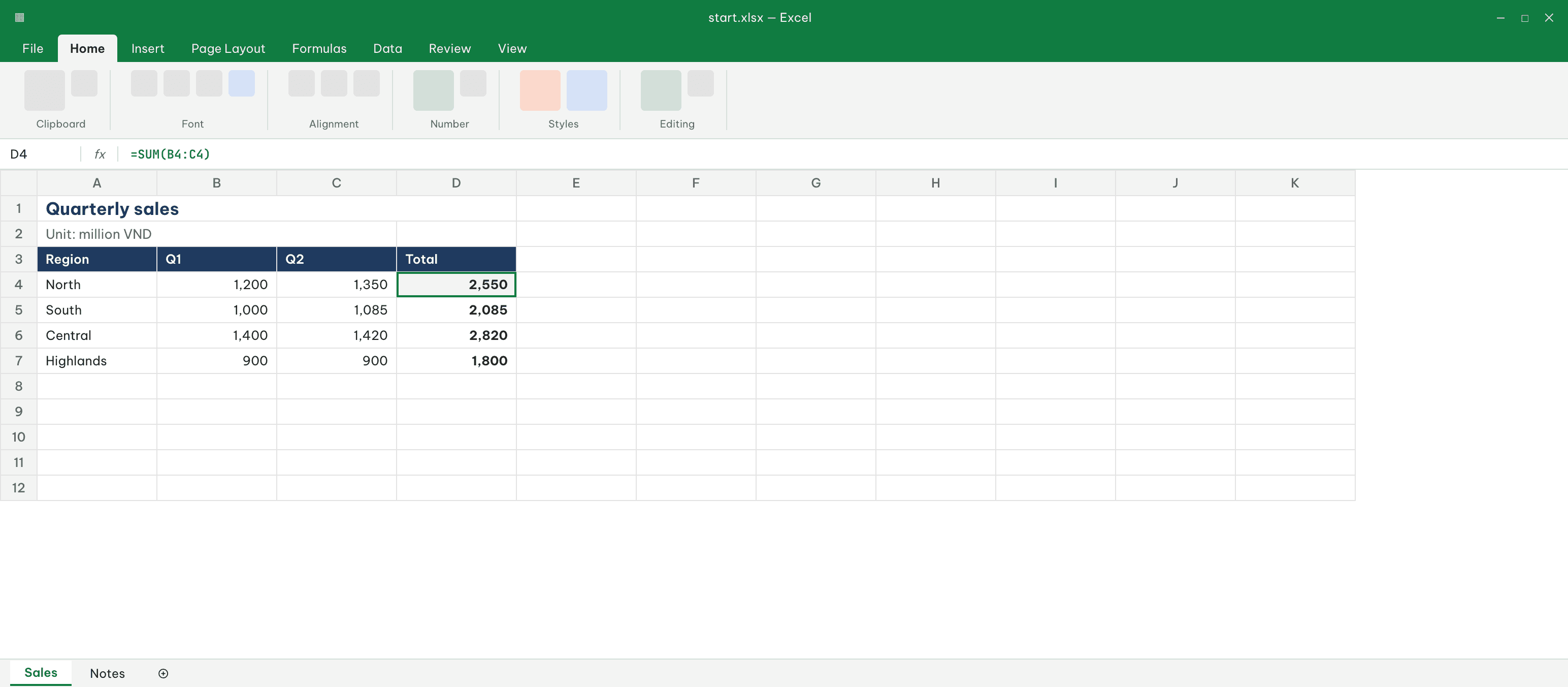
You are summarizing first-half sales for four regions.
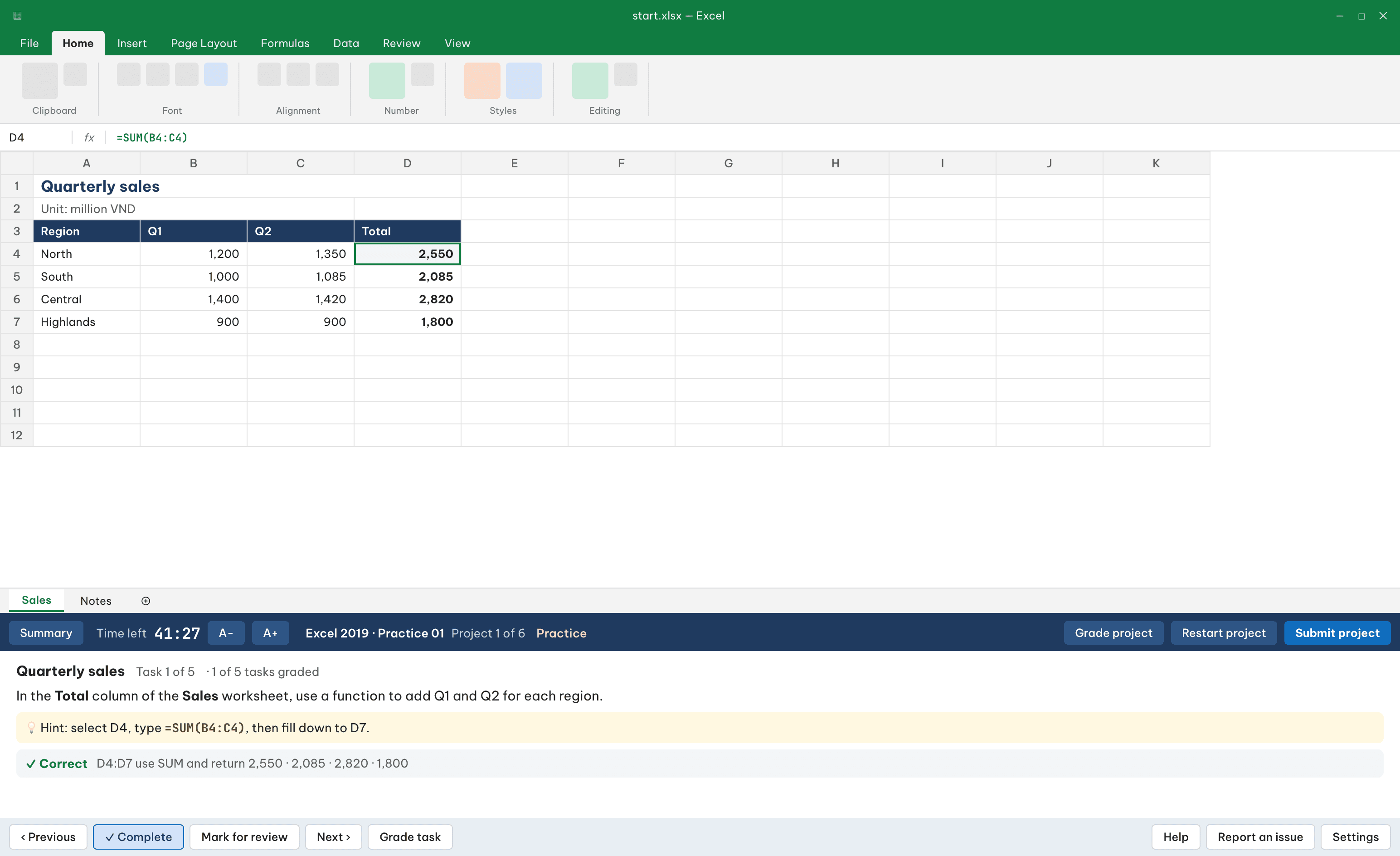
Hint: select D4, type =SUM(B4:C4), then fill down to D7.
=3 subjects: Word, Excel, PowerPoint · Office 2019 and Microsoft 365 · Graded right on your PC · Vietnamese and English interface · Graded on your PC · out of 1000 · 700 to pass
B1Features
MOS skills stick when you do the work in the real software, not by clicking on screenshots.
The app opens the Word, Excel or PowerPoint installed on your PC and docks the task panel right below, like the test center layout.
Submit and get your score. Each task is graded on its own, and a wrong answer is kept apart from a grading error.
Exam mode counts down like the real test; 700 out of 1000 is a pass.
Practice mode shows hints and grades each task and project so you can fix things as you go.
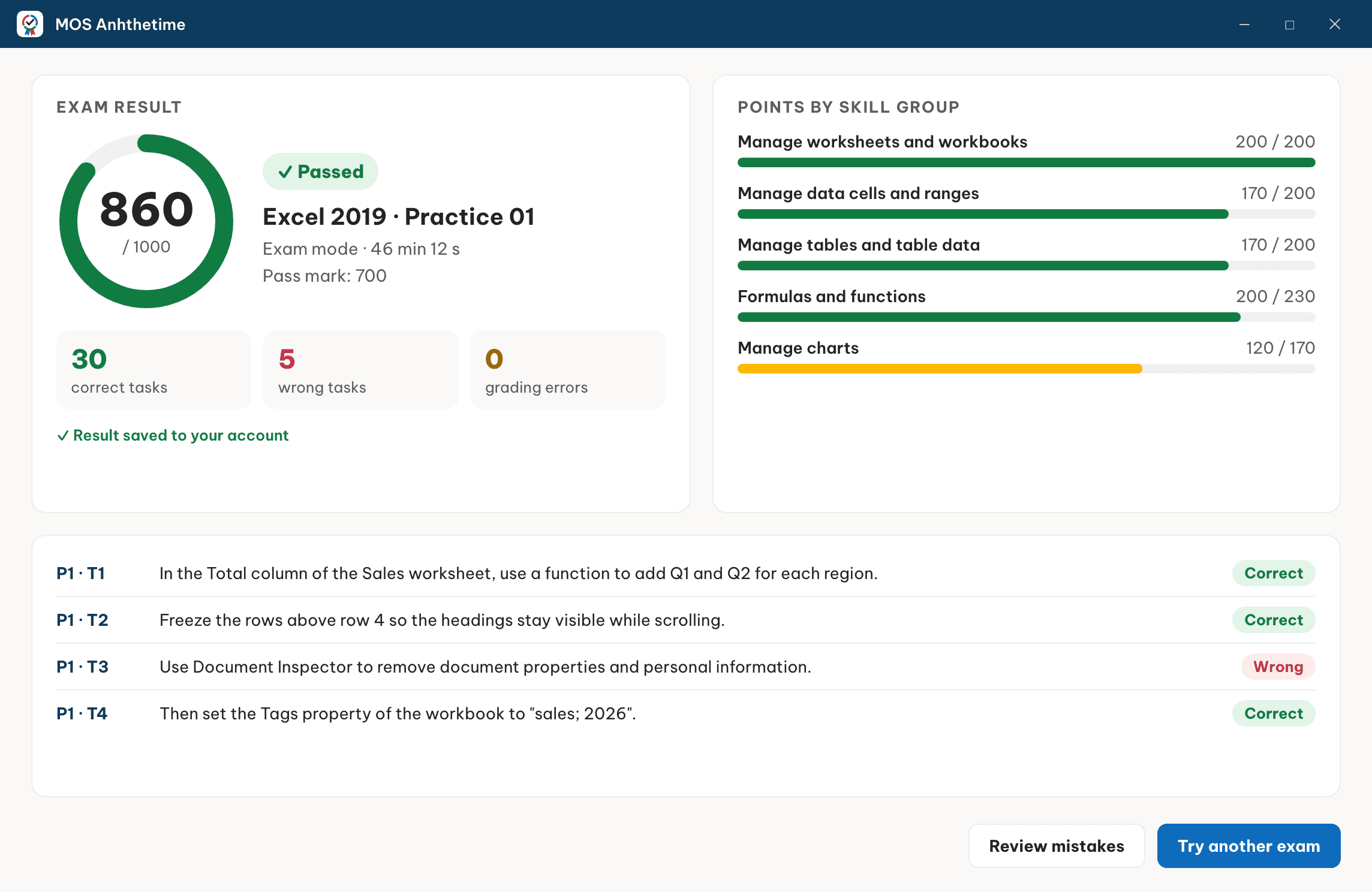
After submitting, see which tasks were wrong and which skill group they belong to.
Every attempt is saved to your account, so nothing is lost when you switch PCs.
C1Subjects
Exams follow the MOS 2019/365 format: several projects, each with several tasks.
Sample exam: 6 projects · 35 tasks
Sample exam: 6 projects · 35 tasks
Sample exam: 5 projects · 30 tasks
D1Illustration
Office on top, the task panel below. When time is up or you submit, your result is ready.
E11 → 2 → 3
Buy one subject or a bundle. The exams are added to your account.
Install MOS Anhthetime for Windows. Your PC needs Office 2019 or Microsoft 365.
Download for WindowsChoose an exam, pick exam or practice mode, and work right in Office.
F1Pricing
Buy one subject, or save with a bundle.
3 Excel Specialist exams: formulas, tables, charts and workbook management.
Word, Excel and PowerPoint Specialist in one package, cheaper than buying each.
Every Specialist and Expert exam, lifetime access, new exams included as they are added.
G101 · 02 · 03
Need a MOS certificate for graduation, IT requirements or applications.
Want to master Office and add an international certificate to their CV.
Need exams for a whole class and per-student results. Get in touch about group plans.
H1FAQ
Office 2019 or Microsoft 365 on Windows. The app works directly with the Word, Excel and PowerPoint installed on your PC.
Not yet. The app runs on Windows only, because it drives Office for Windows, like the real test environment.
Yes, to log in and start an exam. If sending a result fails, the app keeps it and sends it again once you are back online.
The app reads the document you worked on and grades each task against the answer. Scores are out of 1000 and 700 is a pass, like the MOS exam.
They follow the format and skill groups of the MOS 2019/365 exams. They are practice exams, not official test content.
Online payment is being finished and will come with the full release: QR bank transfer, e-wallets and cards.
Not yet. Practice mode has a hint for every task; videos will come later.
Pick a package and start working in real Office today.